RAW Cam and Log Cam app icon RAW Cam + Log CamDNG and Log Video Buy RAW Cam

RAW and Log Video for iPhone

Two iPhone camera apps for DNG RAW and log video workflows.

RAW Cam + Log Cam: DNG and Log Video is built for filmmakers who want more control from iPhone. RAW Cam records RAW video in CinemaDNG/DNG and MCRAW. Log Cam records HEVC and ProRes video from RAW frames, with log gammas, exposure tools, LUT support, and external storage recording.

Follow Us on Social Media:
Two separate apps One-time purchases No subscriptions CinemaDNG + MCRAW HEVC 4:2:0 + HEVC 4:4:4 ProRes on iPhone 13+ Open Gate + 4K Manual camera controls Log gammas + LUTs

Two apps, two capture paths

RAW Cam and Log Cam are presented together because they share the same filmmaking goal: clean camera control and post-friendly iPhone capture. They are still clearly separate apps.

RAW Cam

RAW Cam: RAW, CinemaDNG and MCRAW recording

Use RAW Cam when you want true RAW image data from iPhone for grading, finishing, VFX, or a CinemaDNG-style image sequence workflow.

  • DNG, CinemaDNG-style and MCRAW RAW recording.
  • Open gate, 4K and Full HD capture workflows.
  • Manual ISO, shutter, focus and white balance controls.
  • Histogram, clipping indicators and camera feedback tools.
  • Gyroflow GCSV support for post stabilization workflows.
  • Internal and external storage workflows.
  • One-time purchase with no subscription.
Buy RAW Cam
Log Cam

Log Cam: HEVC and ProRes log video from RAW frames

Use Log Cam when you want compact or edit-ready video files, log gammas, monitoring assists, LUT workflows, and high-quality encoded recording from RAW frames.

  • HEVC 4:2:0, HEVC 4:4:4 up to 300 Mbps, and ProRes recording.
  • ProRes support on iPhone 13 and later, including non-Pro models.
  • Apple Log, Apple Log 2, Fuji F-Log, F-Log2 C, ARRI LogC3, S-Log3 and V-Log.
  • Rec709, HLG and PQ gammas and color spaces.
  • False color, zebras and Rec709 gamma assist for log gammas.
  • RAW linear histogram, LUT preview or baked-in LUT recording.
  • Vignette correction, noise reduction and 180 degree rotation for DoF adapters.
  • Open Gate or 4K recording, external storage recording and Gyroflow GCSV.
  • Manual ISO, shutter, focus and white balance controls.
  • One-time purchase with no subscription.
  • Free 5-day trial
Get Log Cam

Filmmaking features in parallel

Choose RAW Cam for maximum RAW flexibility, or Log Cam for encoded log video with monitoring assists and faster delivery options.

RAW Cam True RAW capture in DNG or MCRAW

Record sensor-grade video data for grading flexibility, highlight recovery workflows, and professional finishing pipelines.

Log Cam HEVC 4:2:0, HEVC 4:4:4 and ProRes

Record encoded video from RAW frames, including HEVC 4:4:4 up to 300 Mbps and ProRes on iPhone 13 and later.

Both Apps Open Gate or 4K recording

Use full-sensor framing when you need maximum flexibility, or 4K recording when you want a more standard production format.

Both Apps Manual exposure and focus controls

Dial ISO, shutter, focus and white balance manually so the image stays consistent across takes and lighting changes.

Log Cam Log gammas and color spaces

Choose Apple Log, Apple Log 2, Fuji F-Log, F-Log2 C, ARRI LogC3, S-Log3, V-Log, Rec709, HLG or PQ.

Log Cam False color, zebras and Rec709 assist

Monitor log footage confidently with false color, zebras and Rec709 gamma assist for easier on-set exposure decisions.

Log Cam LUT support for preview or baked-in looks

Use LUTs as preview-only monitoring transforms or bake them directly into the recorded video when the workflow calls for it.

Log Cam Vignette correction and noise reduction

Apply practical image processing tools in-camera for cleaner encoded files and better lens or adapter handling.

Both Apps External storage and Gyroflow GCSV

Record to external storage when your setup supports it and keep Gyroflow GCSV data for stabilization and post-production workflows.

RAW Cam vs Log Cam

Both apps are filmmaker-focused, but they are optimized for different deliverables.

Category
RAW Cam
Log Cam
Main purpose
RAW video recording for maximum post-production flexibility.
Encoded log video recording from RAW frames.
Formats
CinemaDNG-style DNG sequences and MCRAW.
HEVC 4:2:0, HEVC 4:4:4 up to 300 Mbps, and ProRes.
Color workflow
RAW workflow for grading in compatible post-production tools.
Apple Log, Apple Log 2, Fuji F-Log, F-Log2 C, ARRI LogC3, S-Log3, V-Log, Rec709, HLG and PQ.
Monitoring
Histogram, clipping indicators and camera feedback tools.
False color, zebras, Rec709 gamma assist, RAW linear histogram and LUT monitoring.
Recording modes
Open gate, 4K and Full HD workflows.
Open Gate or 4K recording.
Shared controls
Manual ISO, shutter, focus and white balance controls.
Purchase model
One-time purchase.
One-time purchase.

App interface screenshots

Current screenshots show the RAW Cam interface, controls, and gallery flow. Add Log Cam screenshots here when you have the final Log Cam App Store images.

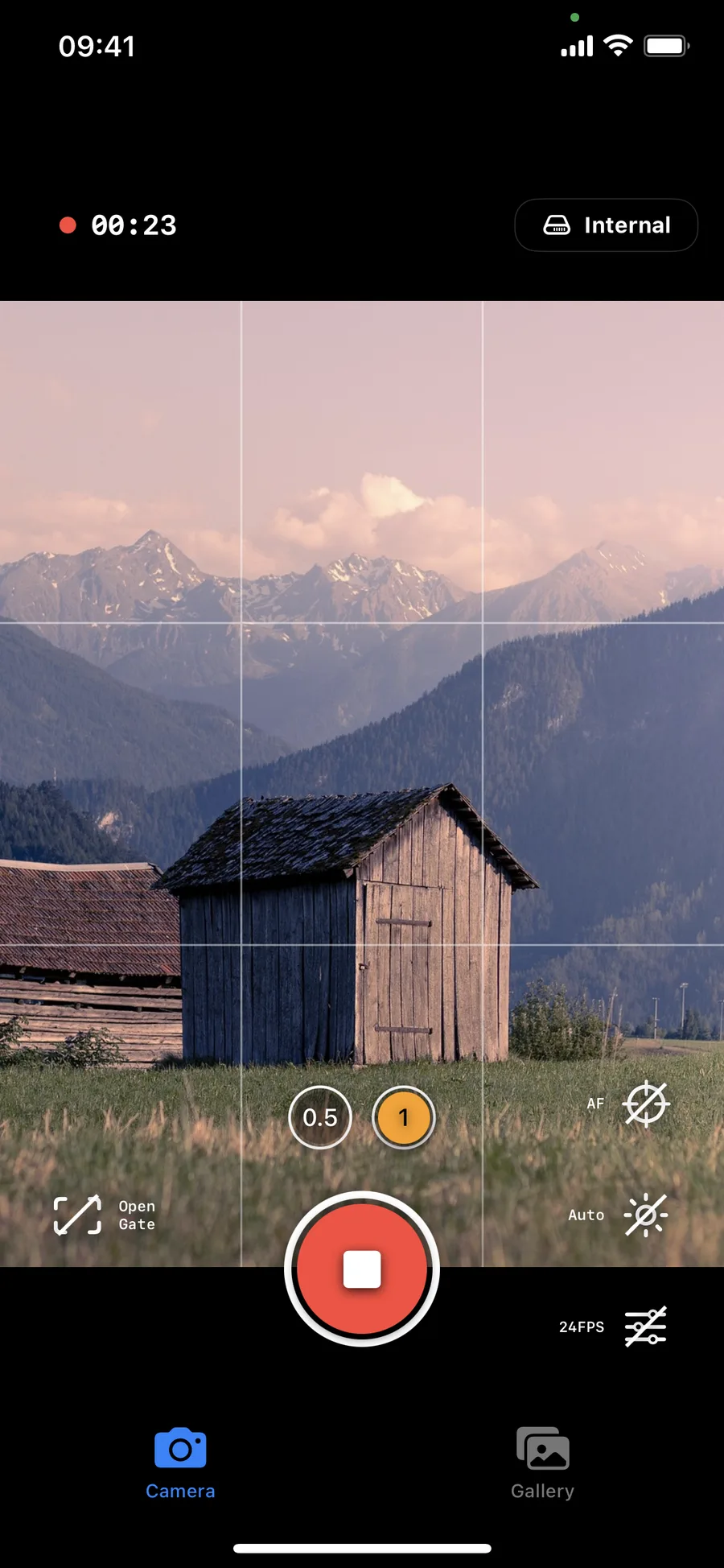
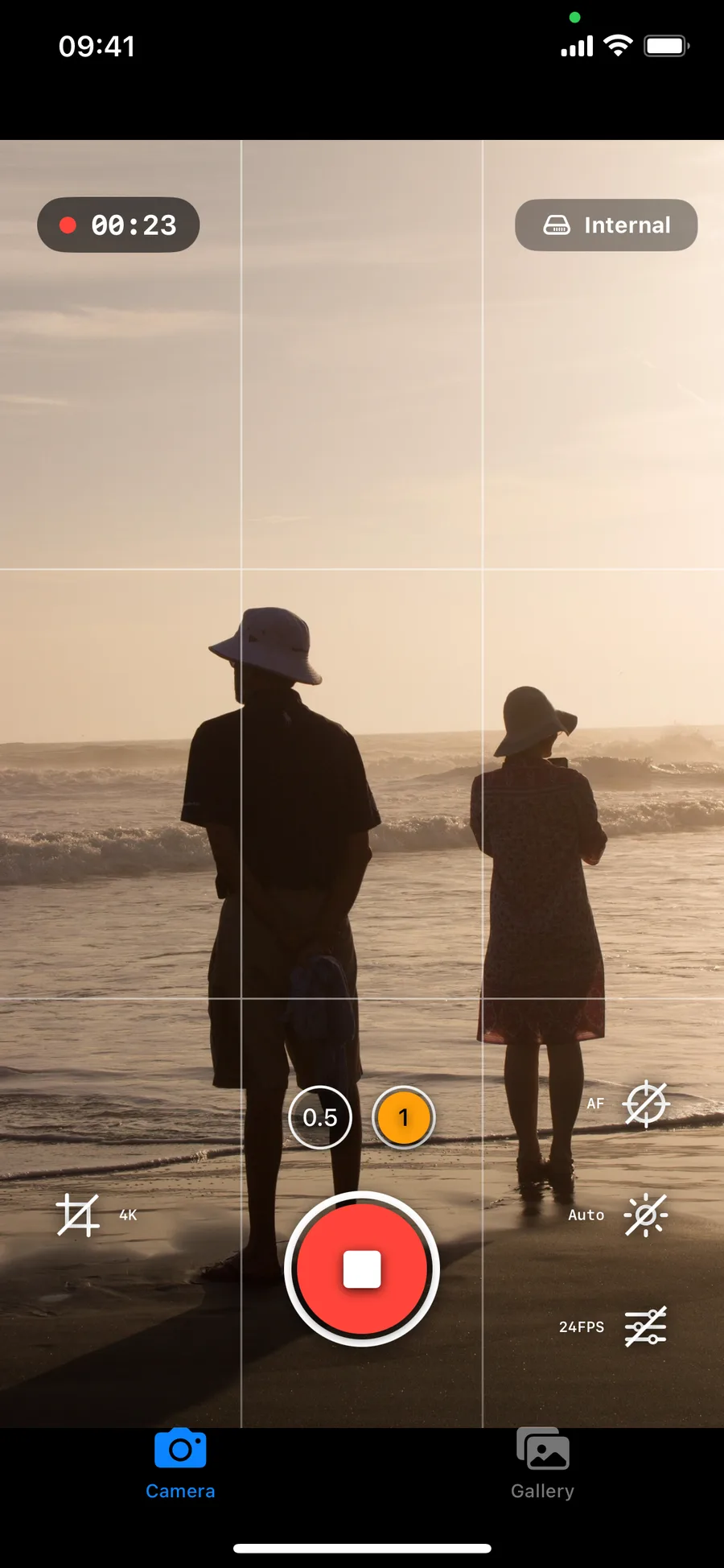
RAW Cam recording screen with open gate frame and live camera controls
RAW Cam recording view Main camera interface with timer, framing grid, and quick-access controls.
RAW Cam open gate mode indicator on mountain landscape scene
RAW Cam open gate capture Full sensor framing option for maximum flexibility in post.
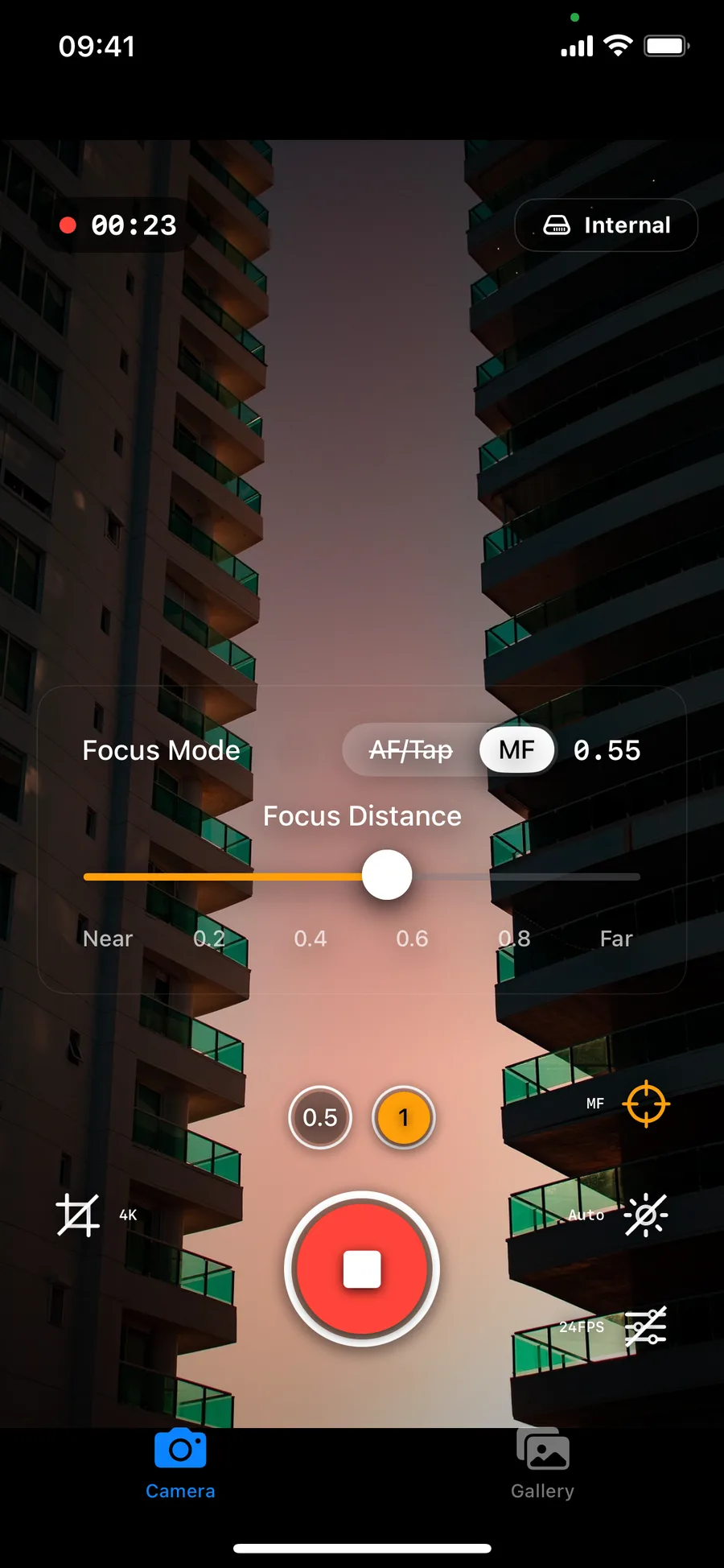
RAW Cam manual focus panel with AF and MF controls and focus distance slider
RAW Cam focus controls Switch between AF/Tap and manual focus with a precise distance slider.
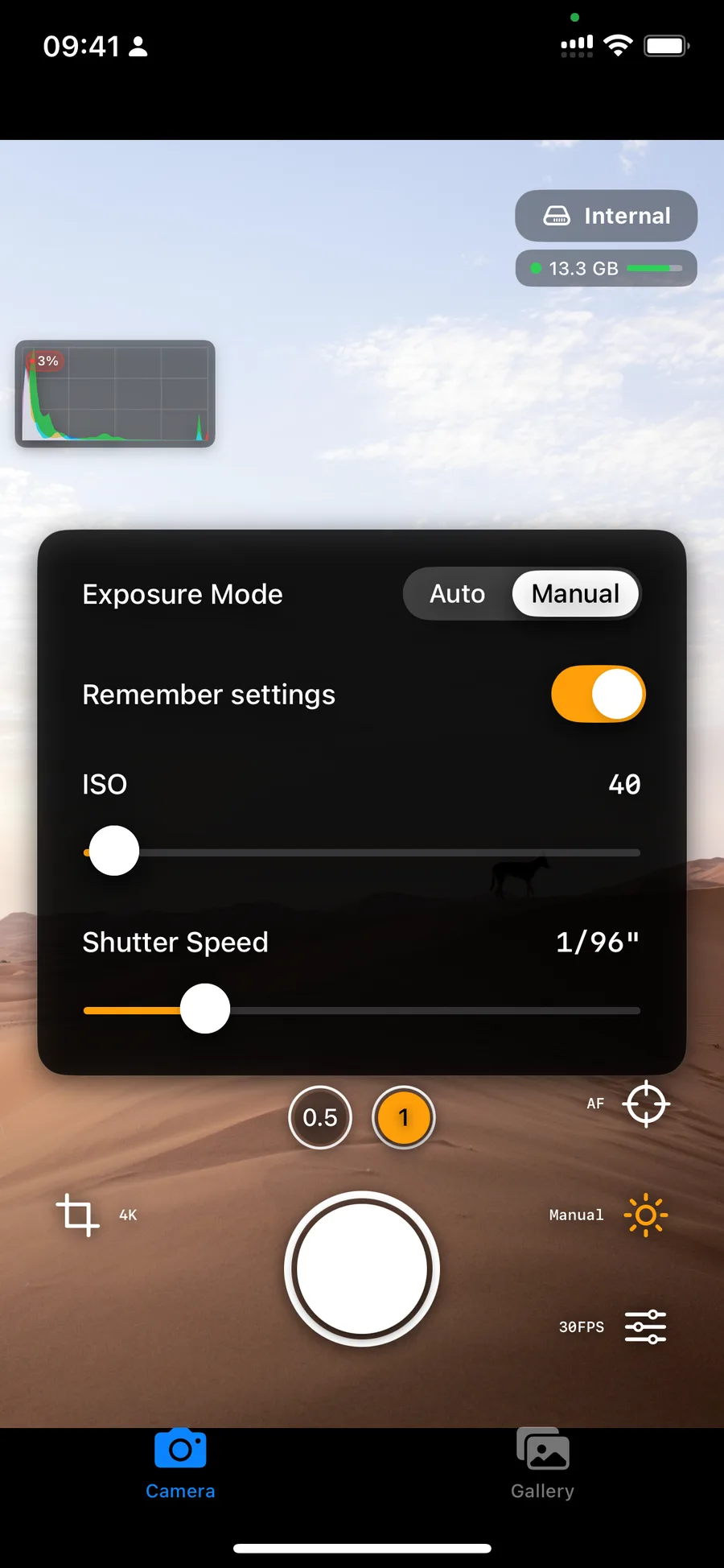
RAW Cam manual exposure panel showing ISO and shutter speed sliders
RAW Cam manual exposure Control ISO, shutter speed, and exposure memory per shot setup.
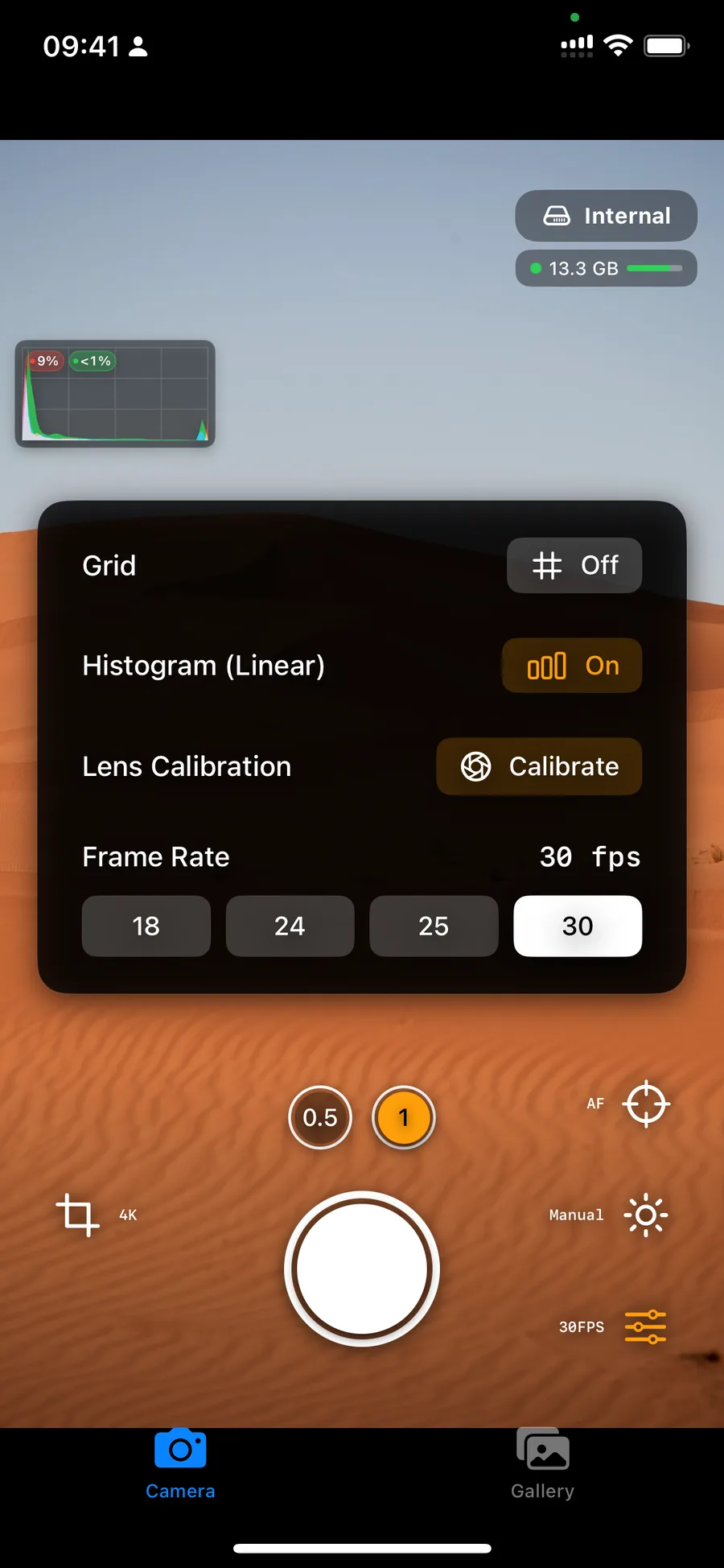
RAW Cam camera controls panel with histogram toggle, frame rate selector and lens calibration
RAW Cam monitoring and frame rate Toggle histogram and set 18/24/25/30 fps directly from the controls panel.
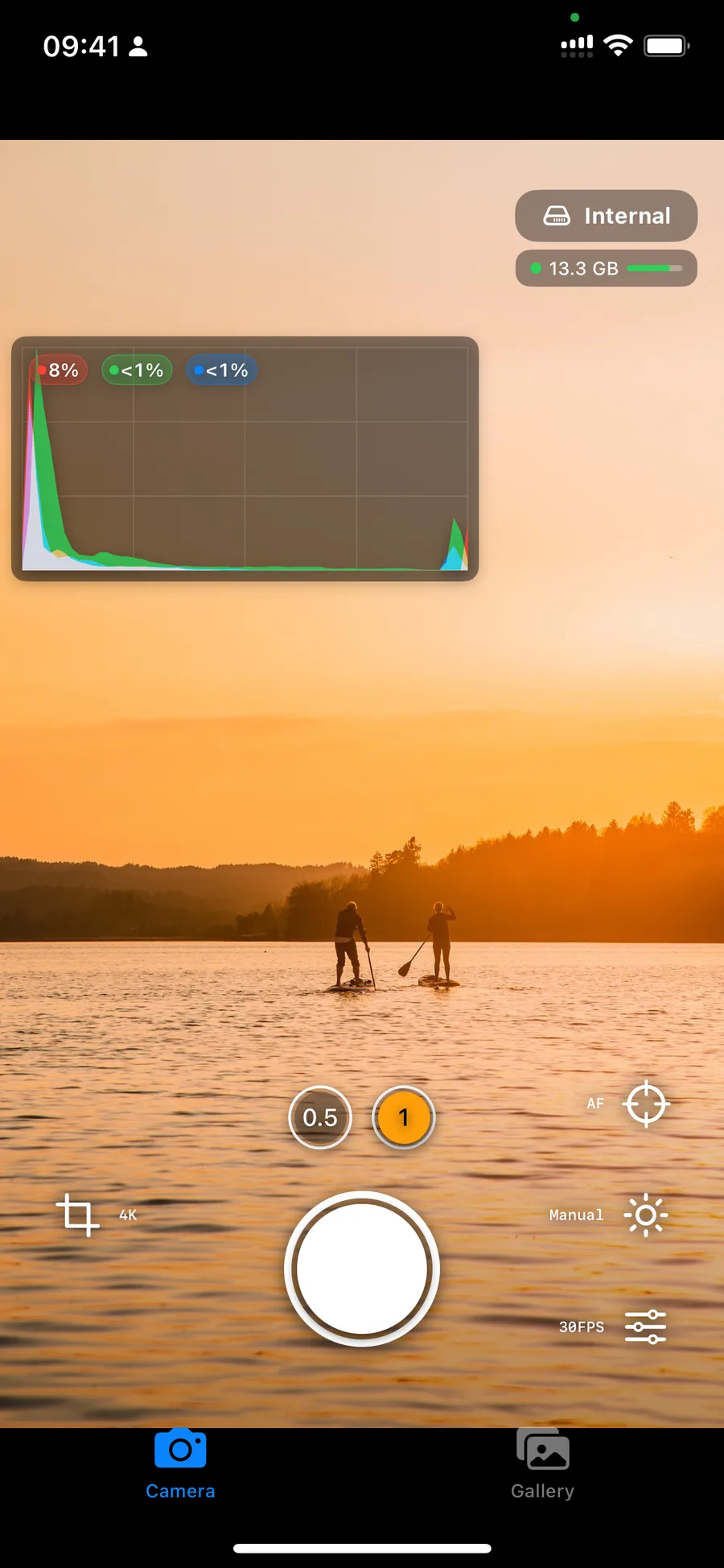
RAW Cam overlay showing histogram and storage indicator during sunset scene
RAW Cam live exposure checks Use histogram and clipping readouts while watching storage status.
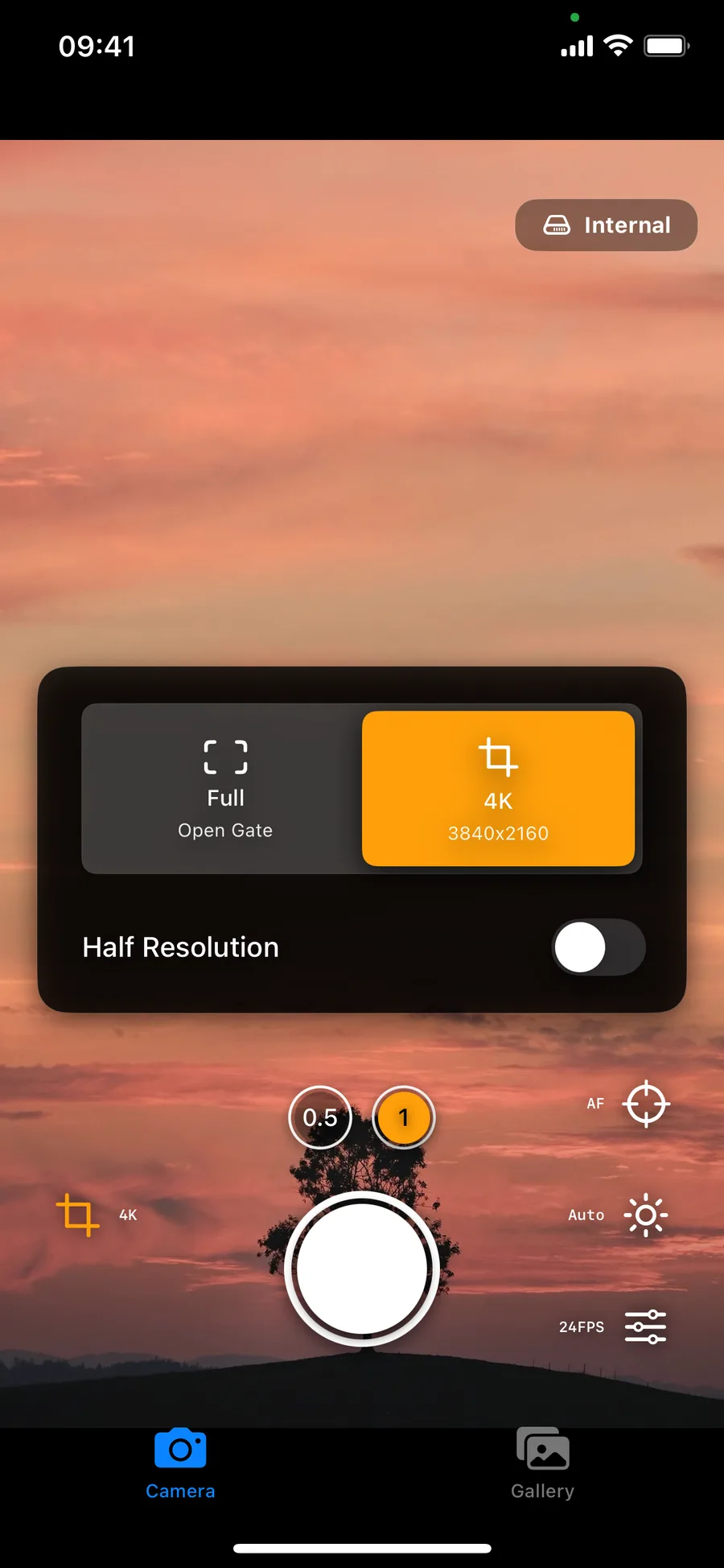
RAW Cam capture type panel with full open gate and 4K mode selection
RAW Cam capture format switcher Toggle between Full Open Gate and 4K, with half-resolution option.
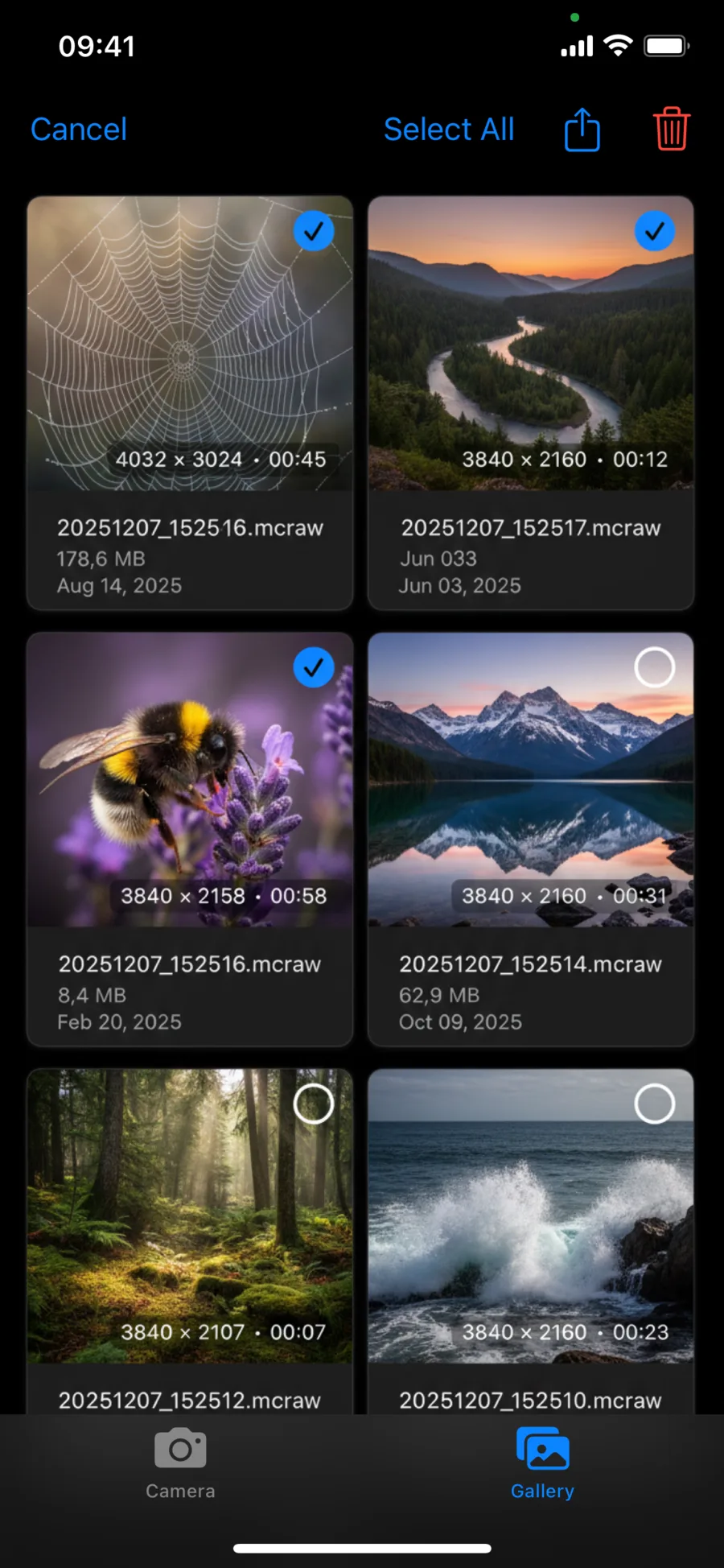
RAW Cam gallery view listing recorded MCRAW files with resolution and duration
RAW Cam built-in gallery Review, share, and manage recorded media from inside the app.

Two practical iPhone video workflows

RAW Cam is the RAW-first path. Log Cam is the encoded log-video path. Both are designed for manual control and a clean handoff to post.

RAW

RAW Cam: shoot DNG or MCRAW

Capture RAW video when you want maximum image control, open-gate flexibility, and a post-production pipeline built around RAW files.

LOG

Log Cam: shoot HEVC or ProRes

Capture log video from RAW frames when you want smaller or edit-ready files with log gammas, LUTs and monitoring assists.

POST

Move faster into editing

Use external storage, AirDrop or file sharing workflows, then continue in compatible editing, grading and stabilization tools.

Built for practical on-set workflow

RAW Cam and Log Cam help you move from capture to edit with fewer workarounds and clearer camera feedback.

1

Set your shot fast

Pick open gate or 4K mode, choose your format, and dial manual or auto controls based on your scene.

2

Monitor while recording

Use RAW Cam histogram and clipping feedback, or Log Cam false color, zebras, Rec709 assist, LUTs and RAW linear histogram.

3

Handoff to post production

Record internally or externally, then export through AirDrop or file sharing and continue in your grading or delivery pipeline.

What you get with RAW Cam + Log Cam

Core capabilities across both iPhone camera apps.

  • Two separate apps for two workflows: RAW recording and log video recording.
  • RAW Cam records DNG, CinemaDNG-style image sequences and MCRAW.
  • Log Cam records HEVC 4:2:0, HEVC 4:4:4 up to 300 Mbps and ProRes.
  • Log Cam supports Apple Log, Apple Log 2, Fuji F-Log, F-Log2 C, ARRI LogC3, S-Log3, V-Log, Rec709, HLG and PQ.
  • Manual ISO, shutter, focus and white balance controls.
  • Open Gate or 4K recording options.
  • False color, zebras, Rec709 gamma assist, RAW linear histogram and LUT support in Log Cam.
  • External storage recording and Gyroflow GCSV support.
  • One-time purchase model with no subscription requirement.
Are RAW Cam and Log Cam the same app?

No. RAW Cam and Log Cam are two separate apps. RAW Cam is for RAW recording in DNG and MCRAW. Log Cam is for HEVC and ProRes video recording from RAW frames with log gammas and monitoring tools.

Is RAW Cam a one-time purchase or a subscription?

RAW Cam is offered as a one-time purchase with a lifetime license on the App Store.

Is Log Cam a one-time purchase or a subscription?

Log Cam is also positioned as a one-time purchase with no subscription.

Who is RAW Cam for?

RAW Cam is made for filmmakers and creators who want the highest-quality RAW video an iPhone can provide, with more direct camera control during capture.

Who is Log Cam for?

Log Cam is made for filmmakers who want encoded video files from RAW frames, log gammas, LUT support, exposure assists, and HEVC or ProRes recording options.

Can I shoot open gate RAW video and still choose classic framing?

Yes. RAW Cam supports open gate, and also provides classic 16:9 capture options including 4K and Full HD style workflows.

Does Log Cam support ProRes?

Yes. Log Cam supports ProRes recording on iPhone 13 and later, including non-Pro iPhone models.

Does Log Cam support HEVC 4:4:4?

Yes. Log Cam supports HEVC 4:4:4 recording up to 300 Mbps, along with HEVC 4:2:0 recording.

Which log gammas does Log Cam include?

Log Cam includes Apple Log, Apple Log 2, Fuji F-Log, Fuji F-Log2 C, ARRI LogC3, S-Log3 and V-Log, plus Rec709, HLG and PQ gammas and color spaces.

Does Log Cam support LUTs?

Yes. Log Cam supports LUTs for preview-only monitoring or baked-in recording.

Does Log Cam support external storage?

Yes. Log Cam supports external storage recording.

Can RAW Cam fit a CinemaDNG-style workflow?

RAW Cam records DNG image sequences that can fit CinemaDNG-style workflows in compatible post-production software.

Do the apps support Gyroflow GCSV?

Yes. RAW Cam and Log Cam both include Gyroflow GCSV support for stabilization and post-production workflows in compatible tools.
Get RAW Cam + Log Cam for iPhone filmmaking

Choose RAW Cam for DNG and MCRAW RAW recording. Choose Log Cam for HEVC, ProRes, log gammas, LUTs and monitoring tools.

US App Store snapshot for RAW Cam on June 2nd, 2026: 4.7/5 from 19 ratings. Log Cam is available on the App Store.